
Can Someone Fix Up My Wix Template? (2026)
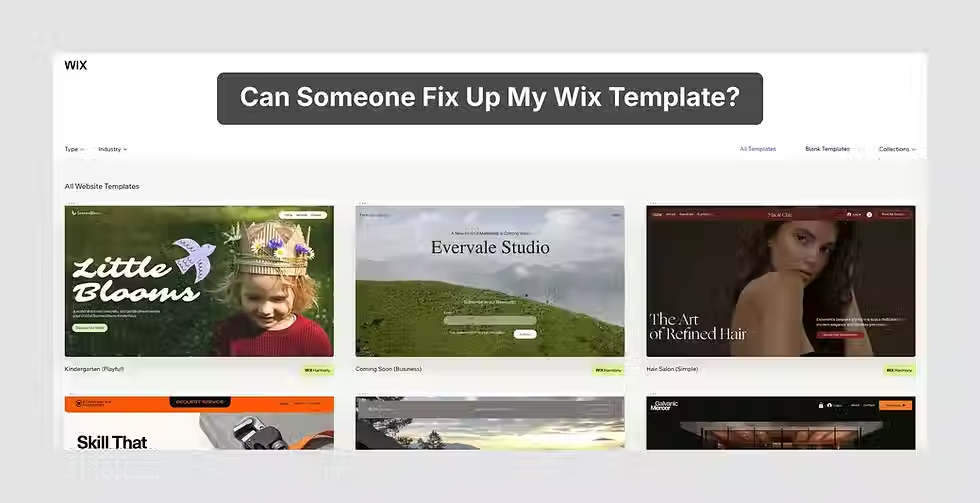
You picked a template you loved. You put real hours into it. And somewhere between the demo and your published site, it drifted. The spacing feels off, the phone version is doing its own thing, and the site works but doesn't look like the one you had in your head.
You didn't break anything, and you're far from the only one. Designers fix up DIY Wix templates every week, and "can someone just make this look right?" is one of the most common messages in our inbox. In one of our most recent Wix Marketplace reviews, an owner described a call with Rebecca that started as a diagnosis and turned into a repair before it ended.
Below: why templates drift, what can be fixed, what you can fix yourself before calling anyone, and how our Wix Rescue works if you'd rather hand it off.
Why doesn't my Wix site look like the template demo?
Because the demo had an easier job. Template demos are built with professional photos, short placeholder text and plenty of empty space. Your real content is longer, your photos come from a phone, and a few sections get added "just in case." The layout stretches, the fonts and colors multiply, and the site slowly stops looking like the one you picked.
Designers see this pattern all the time. In a GoodFirms survey of 200+ web design companies and freelancers, 84.6% named crowded design as the most common web design mistake small businesses make. Missing calls to action came next at 38.5%, then hidden navigation at 30.8% and poor typography at 26.9%. Every item on that list is what happens when a busy owner keeps adding one more thing.
It matters because visitors judge the look before they read a word. 94% of first impressions of a website are design-related (ResearchGate, via Clique Studios). Nobody makes it to your About page if the homepage feels cluttered.
Your template's bones are almost certainly fine. One quick win before you change anything else: open the Site Design panel in the Editor, choose one text theme and one color theme, and stop formatting text by hand. Restyling from one place undoes a surprising amount of drift.
Can I switch my Wix site to a different template?
Not with your content attached. Wix says it isn't currently possible to transfer all your site's content, media and SEO settings to a new template. It's an open feature request that Wix is still collecting votes on.
That leaves two real options.
Restyle the site you have. This is Wix's own suggestion. From the Site Design panel you can change the color theme, text theme, page backgrounds and page transitions across the whole site at once. Paired with some layout cleanup, that gets most sites where they need to go. A lot of "I hate my template" feelings turn out to be "I hate what happened to my template."
Start a new site on a new template and move things over. You copy sections and pages across with Paste & Apply Site Theme, which restyles them to match the new template, then reassign your Premium plan so your domain and any Wix business email follow along. The list of what doesn't come with you is long. SEO settings and tracking tools, third-party premium apps, site members, and business apps like Wix Stores and Wix Bookings all have to be set up again by hand.
That second list is why we usually recommend fixing over starting over. A fix-up happens inside your existing site, so your page addresses, SEO settings and connected apps stay where they are. A fresh start makes sense when the site's structure no longer fits the business, and that comes up less often than people expect.
What can be fixed on a Wix template?
Nearly everything owners complain about: the mobile view, clutter, navigation, slow pages, and the "would I trust this business?" feeling. Some of it you can handle yourself. The table sorts the common problems by where to start.
Problem | What you'll notice | Try this first | When to get help |
Mobile layout | Elements in odd places, big gaps, sections missing on phones | Fix your top three pages in the mobile editor and check the Hidden on Mobile panel | Every page needs rework, or desktop edits keep breaking mobile |
Clutter | Long pages, competing buttons, too many fonts and colors | Give the homepage one job and reset text and colors in Site Design | Cutting content means rethinking the whole site structure |
Navigation | A menu with 10+ items, pages visitors can't find | Cut the main menu to five to seven items | You need new page groupings across the whole site |
Speed | Pages that hang on a phone | Compress your largest images and remove apps you don't use | Apps, code or heavy media are tangled into many pages |
Trust | Stock photos, no reviews, no visible phone number or address | Add real photos, a few reviews and contact details to the header or footer | You need new photography, new copy or a redesigned homepage |

Mobile is usually the most urgent. On classic Editor sites, Wix builds your mobile view automatically from the desktop layout. It's the same site shown two ways, and the automatic version isn't always tidy. Wix's own mobile troubleshooting guide lists the usual suspects: elements that land in the wrong place, gaps between sections, and elements hidden from mobile without you noticing. You can drag elements back into place, shrink the gaps, and unhide anything from the Hidden on Mobile panel. It's worth the hour, since mobile devices drove 62.73% of web traffic as of early 2025 (Statista, via Forbes Advisor).
Clutter and navigation tend to get fixed together. Once each page has one job, the menu gets shorter almost on its own, and visitors stop hunting for the contact page.
Trust signals are the cheapest wins on the list. Real photos of you, your team or your work, a handful of reviews, and a phone number people can see all make a site feel like it's run by a real business. None of them need a designer.
What does it cost to fix a Wix template?
It depends on how many problems the site has and how tangled they are. One clearly scoped fix from a freelancer can be inexpensive, and a full rescue from an agency costs more because it covers more. Our 2026 Wix website cost guide shows what freelancers, Marketplace partners and agencies typically charge.
A good freelancer solving one defined problem is money well spent. We'll say so on an evaluation call, even when the answer is "a $300 freelancer fix is all you need." Trouble starts when one site has five problems at once. Mobile, layout and speed issues often share a cause, so fixing them one gig at a time can mean paying for the same work twice. Whoever you hire, the questions in our guide to choosing a Wix designer apply to small jobs too.
Our Wix Rescue is built for sites in the classic Wix Editor. It starts at $2,000, takes 7–14 business days, and includes:
Revisions across a 4–6 page site
A website audit of what isn't working and how to improve the visitor experience
Mobile optimization
A free one-hour web strategy meeting
Links to your existing social media pages
A custom 404 page
Smaller fixes can be done at $150 an hour instead. Either way, the price is agreed before we start and all the work happens in-house. If your site was built in Wix Studio, the Rescue package doesn't apply, so bring that up on your evaluation call. Not sure which one you're in? Our Studio vs classic Editor comparison explains the difference.

What happens during a Wix Rescue?
Four steps: an evaluation, a fixed list of what we'll change, the work itself, and a handoff.
You send us your site for a free evaluation. We come back with a plain-English list of what's hurting it and a fixed price. If you go ahead, we work inside your existing site over 7–14 business days, restyling, cleaning up the mobile view page by page, compressing media, decluttering and tightening the navigation. Then we walk you through what changed and where things live, so you can keep editing the site yourself.
The site stays in your Wix account the whole time. If you'd like more confidence making future changes on your own, our two-hour Wix training session starts at $400.
Want to see where other rescues and builds ended up? Browse our recent work, or read what owners say on our reviews page.
Frequently asked questions
Q: Will fixing my template hurt my SEO?
A: No, and it's one of the better arguments for fixing over rebuilding. Rescue work happens inside your existing site, so your page URLs, SEO settings and connected apps stay where they are. The template-switch workaround is the riskier route, because a new site means setting up SEO settings and tracking tools again and redirecting every old page address.
Q: Can I still edit my site myself after a rescue?
A: Yes, and we hope you will. The site stays in your Wix account, so you're never waiting on us to change a headline. A good rescue should leave you with a simpler site that's easier to update than before, and at handoff we show you where everything lives. If you want a deeper walkthrough, our two-hour training session covers the basics.
Q: How long does a Wix template fix-up take?
A: Small hourly fixes are often done within a few days. Our full Rescue runs 7–14 business days from kickoff, compared with about 30 business days for a new classic Editor site from us. Having your logins, photos and any new copy ready before kickoff is the easiest way to keep it on schedule.
Q: Is my site too far gone? Should I just start over?
A: Probably not. Over ten years of Wix work, most of the templates we've opened up could be saved, because crowding, drift and mobile breakage usually reverse cleanly. A rebuild wins when the site's basic structure no longer fits the business, like a booking site that now needs to be an online store. A free evaluation will tell you which side you're on.
Ready to see what's fixable?
The site you pictured when you picked that template is usually closer than it looks. Send us your site's link for a free evaluation and we'll tell you what's worth fixing, what you can handle yourself, and what it would cost us to do the rest. Or call 928-821-6780 and talk it through with someone who won't judge the DIY work.
Sources
GoodFirms, Website Design Stats and Trends for Small Businesses: https://www.goodfirms.co/resources/web-design-research-small-business
Clique Studios, Web Design Statistics: https://cliquestudios.com/web-design-statistics/
Wix Help Center, Customizing Your Site's Theme and Design: https://support.wix.com/en/article/wix-editor-customizing-your-sites-theme-and-design
Wix Help Center, Switching an Existing Site's Template (with Content): https://support.wix.com/en/article/wix-editor-request-switching-an-existing-sites-template-with-content
Website Planet, How to Change a Wix Template: https://www.websiteplanet.com/guides/wix-elements/how-to-change-wix-template/
Wix Help Center, Troubleshooting Layout Issues on Your Mobile Site: https://support.wix.com/en/article/wix-editor-troubleshooting-layout-issues-on-your-mobile-site
Forbes Advisor, Top Website Statistics: https://www.forbes.com/advisor/business/software/website-statistics/
Wix Expert Studio, Wix Marketplace profile: https://www.wix.com/studio/community/partners/wixexpertstudio
1st Image - Wix Expert Studio - https://www.wixexpertstudio.com/
2nd Image - Wix Expert Studio - https://www.wixexpertstudio.com/
3rd Image - Wix Expert Studio - https://www.wixexpertstudio.com/


